Contact Us / REPORT A BUG

Use the form on the right to contact us.

Always looking forward to hearing from you! 


123 Street Avenue, City Town, 99999

(123) 555-6789

email@address.com


You can set your address, phone number, email and site description in the settings tab.
Link to read me page with more information.

IMG_0435.jpg

All The Things We Love About Speech Therapy With Adults

This blog is about all the things we at Sanapsis Love about Speech Therapy with Adults. 

The Logical Next Step in Writing

Nana Lehtinen

In our last post about SanapsisPro Writing category updates, we looked at Copy Letters by Hand. Today’s exercise provides a logical next step and a natural progression once the patient feels comfortable tracing individual letters. Let's take a look at Copy Words by Hand.
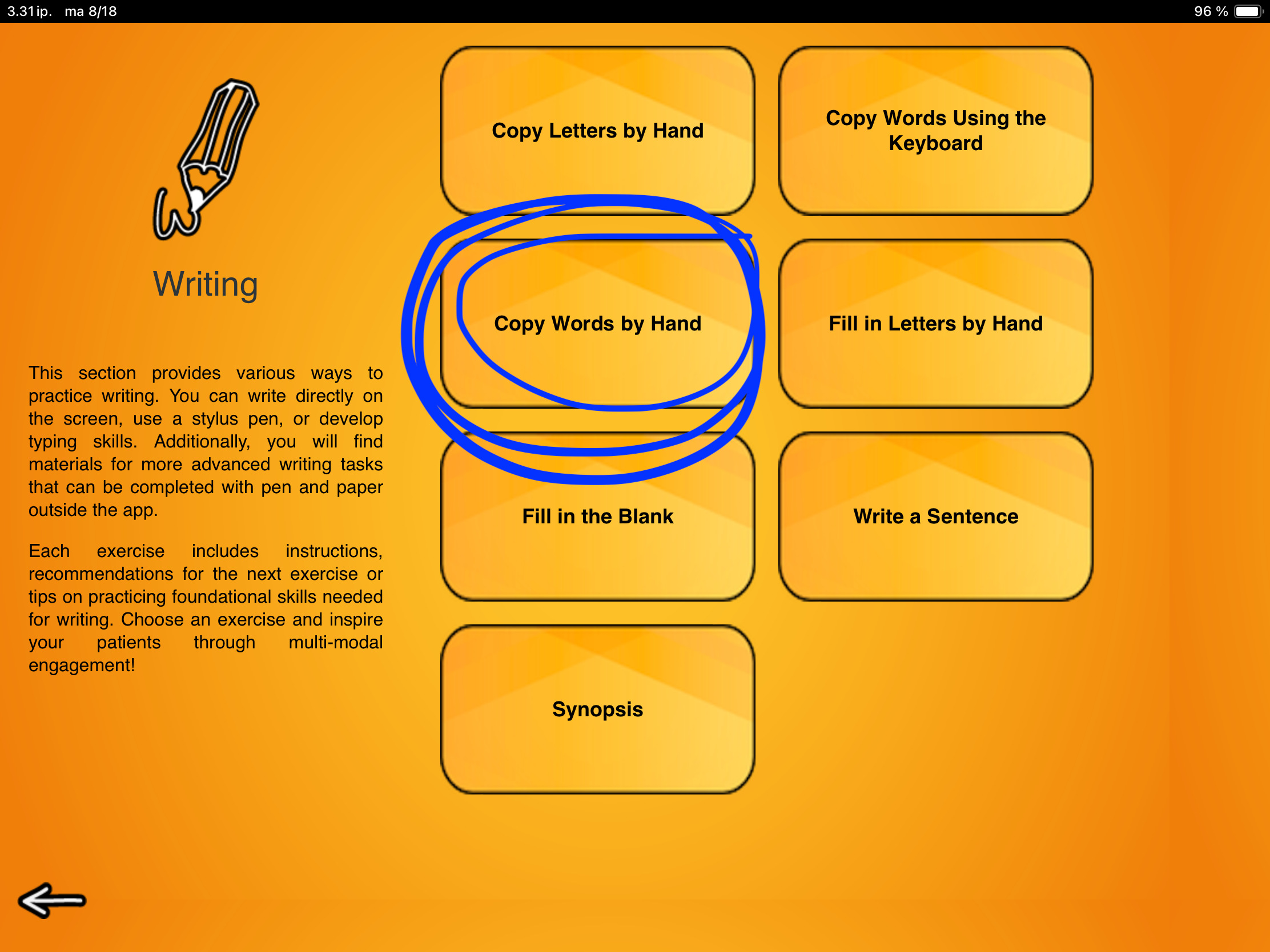
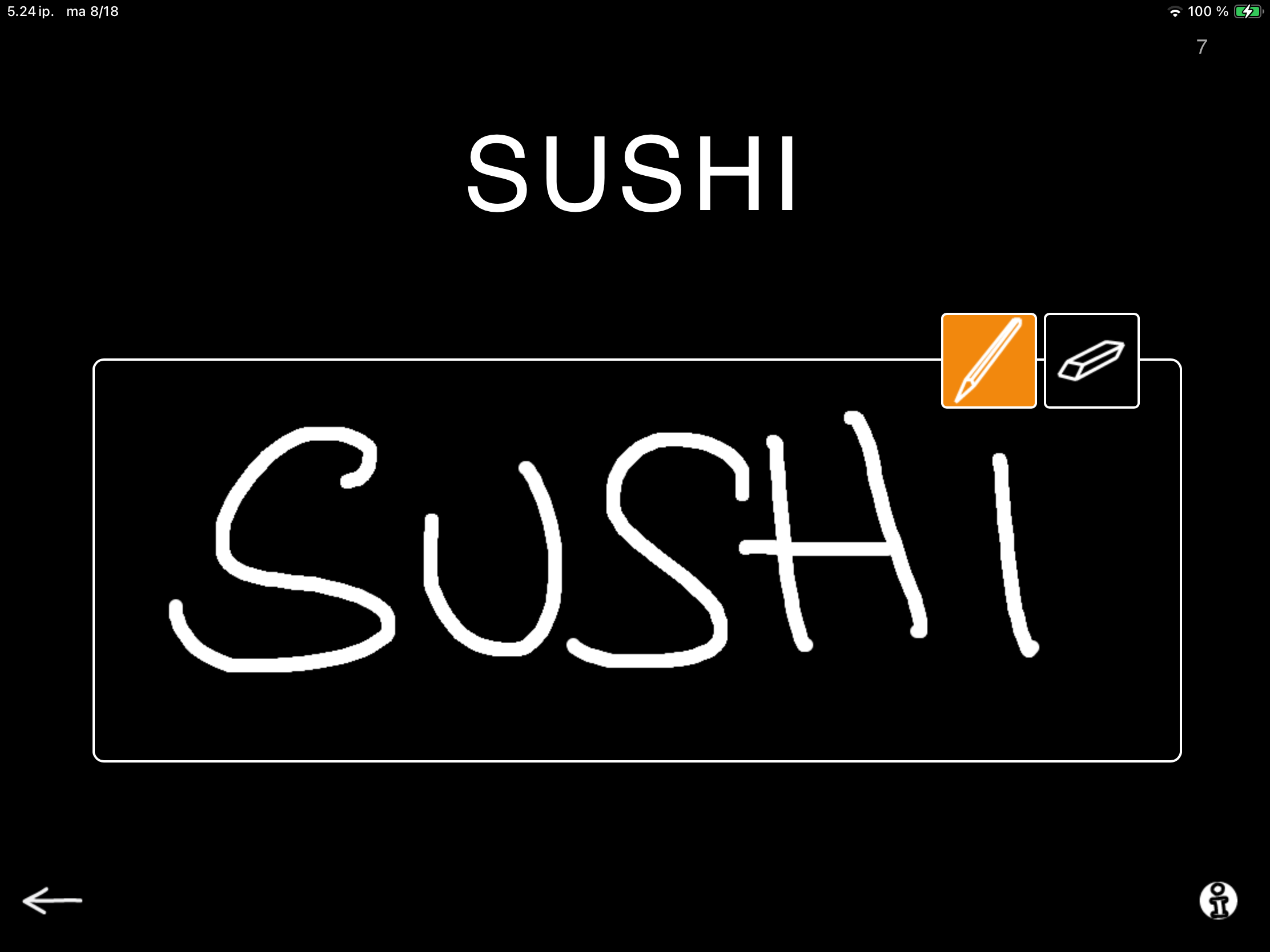
On screen, a word is shown above an empty box. The patient uses their finger or a stylus pen to copy the entire word into the box. The eraser tool makes it easy to start over, so multiple attempts are always possible.

This task combines visual recognition with motor execution. It can be used to retrain the physical movements required for handwriting while also reinforcing spelling patterns. For some patients, it is additionally a useful tool to address perseveration tendencies, since the word to be copied remains visible at all times for easy checking and self-correction.

In addition to writing, SanapsisPro gives you the flexibility to turn this task into a simple drawing activity. You can even make it interactive by taking turns drawing the objects that appear on screen. This can be a great addition for word retrieval and semantic processing.
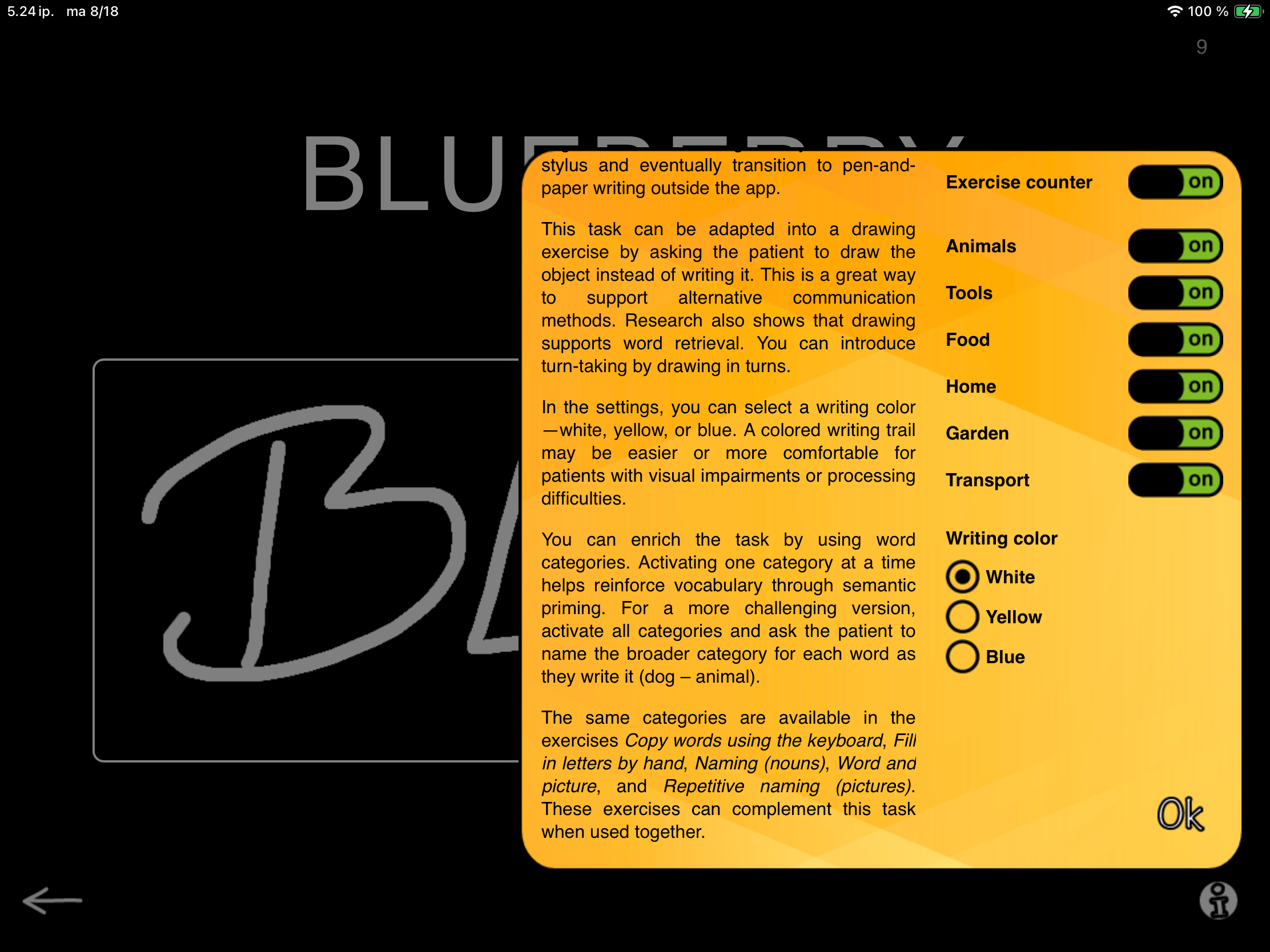
The settings open up a range of categories. These categories are filled with a wide variety of everyday words: Animals, Tools, Food, Home, Garden, and Transport. Switch these categories on or off to control the topic of the task. Selecting just one category restricts words to that topic, while combining two or more categories mixes them together. It’s an easy way to tailor the exercise from focused to varied.

Beyond variety, categories add therapeutic depth. Keeping one category active reinforces semantic priming. Using two categories invites a sorting task (for example: does this word belong to Home or Transport?). For an extra challenge, turn on all categories and ask the patient to sort the words into categories as they copy the word (e.g., “dog → animal”).

You may recognize these categories from other SanapsisPro exercises such as Fill in Letters by Hand, Copy Words Using the Keyboard, Naming (Nouns), Word and Picture, and Repetitive Naming (Pictures). This shared structure helps build connections across tasks and keeps therapy both engaging and effective.
The Importance of User Feedback

Nana Lehtinen

Let’s turn our attention to Sanapsis+ for a moment. This is the app designed for patients to practice their language skills independently.

The Breaking News: Sanapsis+ has been improved, thanks to our wonderful users!

The latest updates are now live in both the App Store and Google Play. This release includes general stability improvements, and more importantly: no more overlapping audio if you tap the image rapidly multiple times, and no more freezing for the recording function on the Naming exercise!

Spotlight on the Naming Exercise

I will take a quick moment to walk you through the Naming exercise here, as many of you might have experienced some frustration using it lately.

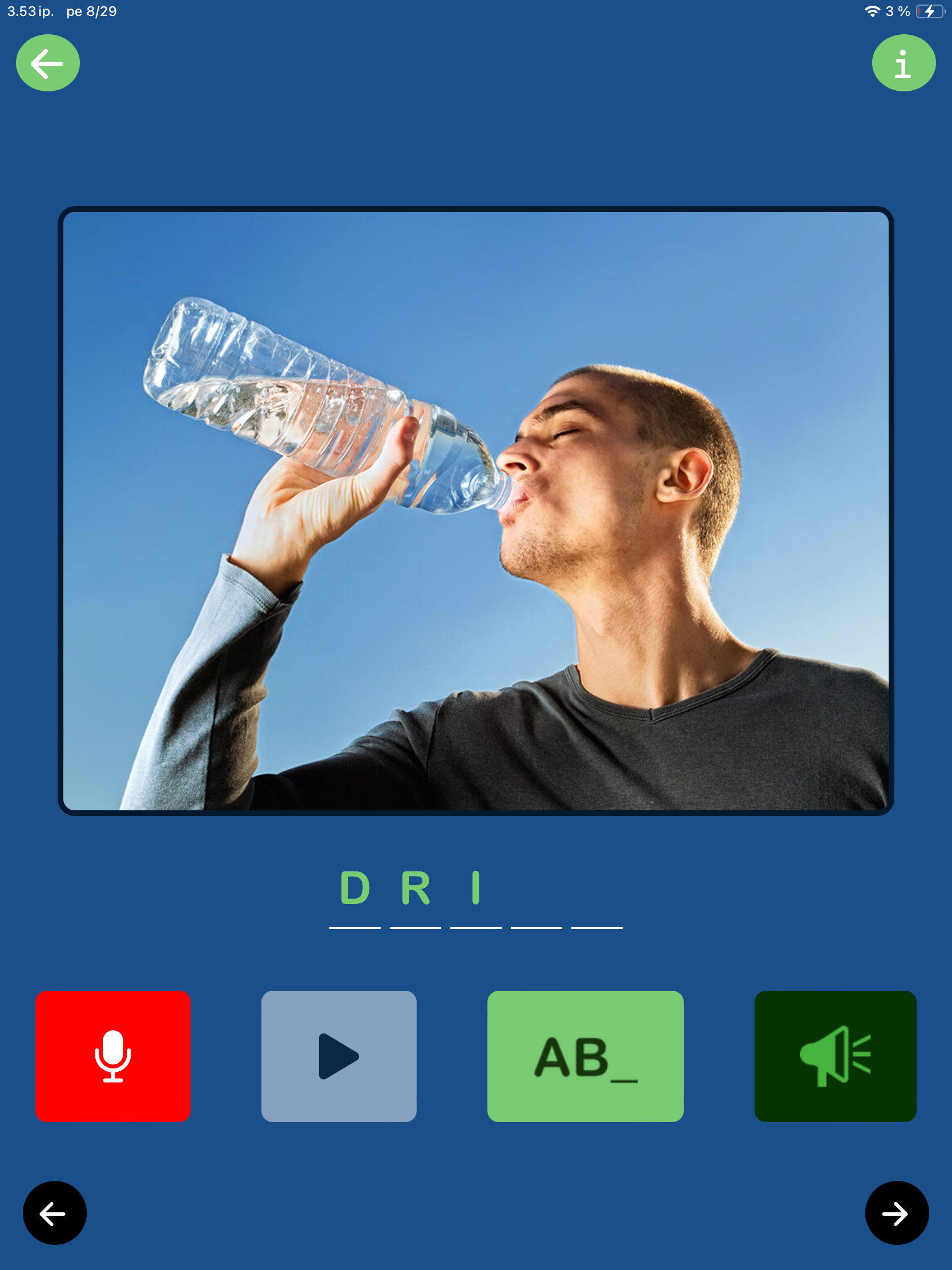
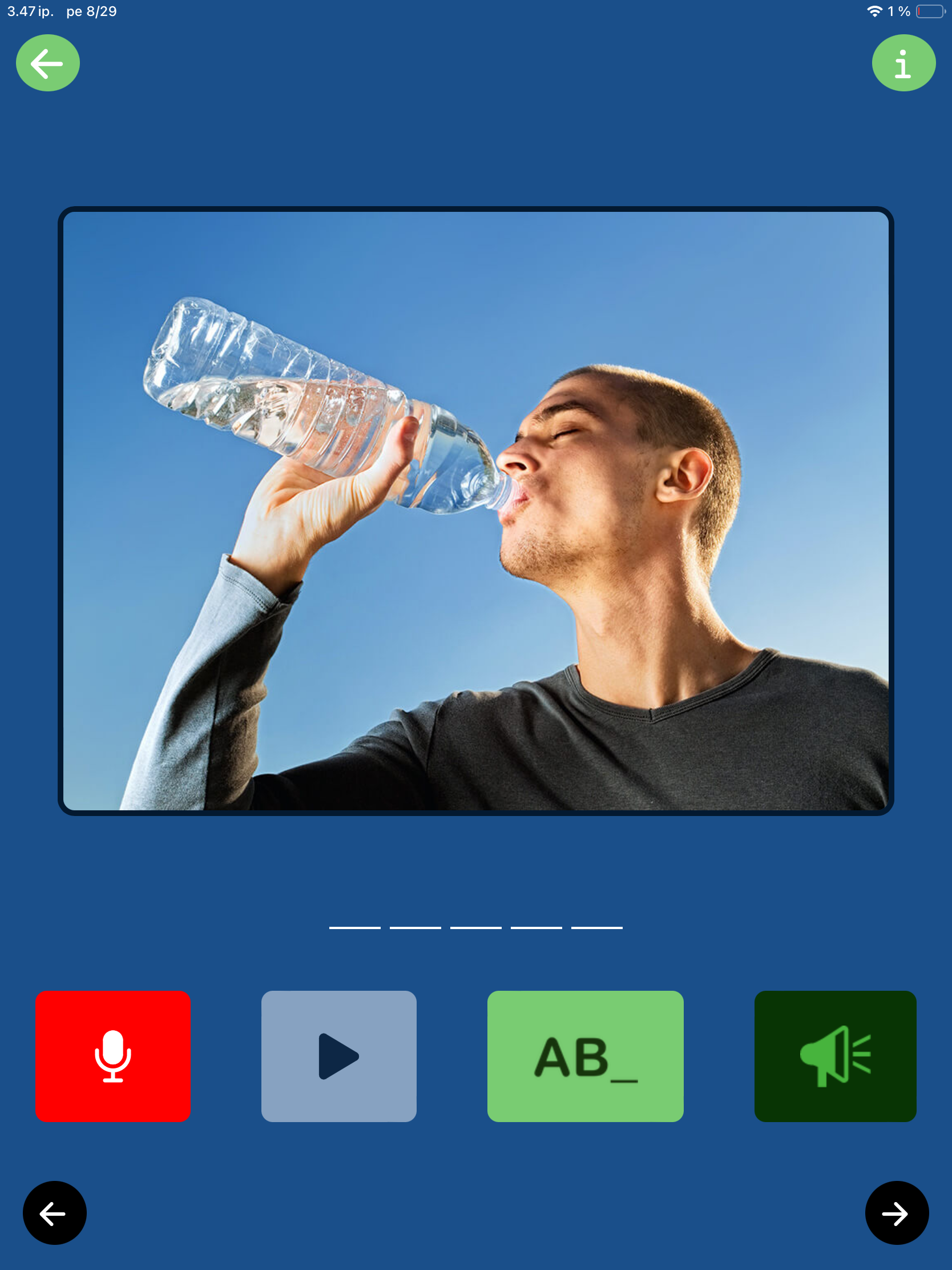
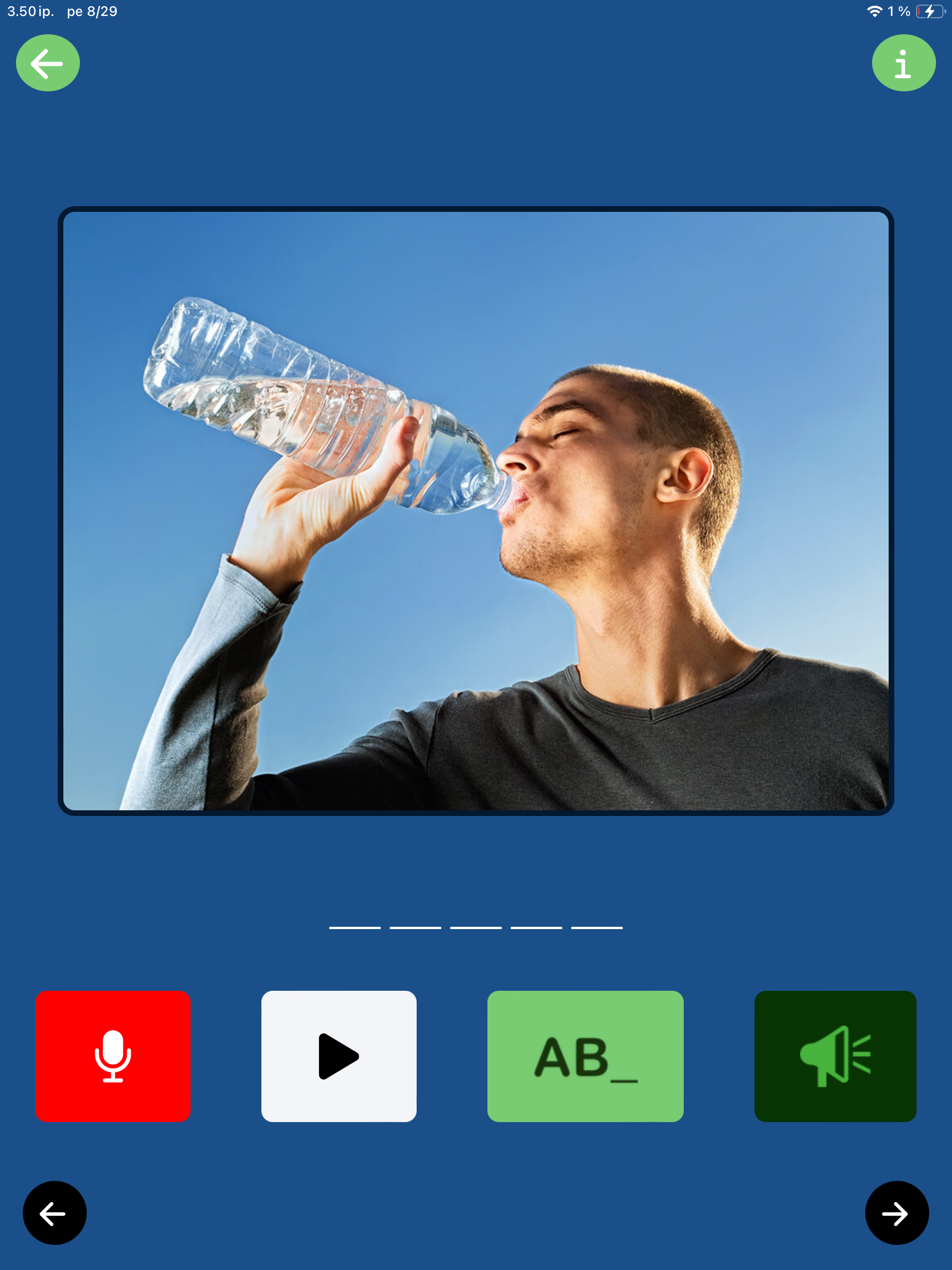
Today I selected Verbs as my category. It is a hot day today, so showcasing the verb DRINK felt appropriate. That water looks mighty refreshing!

The goal is straightforward: Name the word the image represents and say it out loud. In my example, I would aim to say “drink.”

1. Record your response.

- Tap the red microphone button to start recording (it will display “recording”).

- Speak at your own pace; the feature is intentionally slow to give you plenty of time.

- The recording stops automatically and the Play button turns white

2. Listen to your voice

- Tap the Play button to listen to the recording of your voice.

You can record the word and listen to the recording as many times as you like.

Need a little support?

If you need a little boost, you have several options:

- Tap the big image to hear the word.

- The green button with letters spells out the word letter by letter.

- The green speaker button plays a phonetic clue (like “dr...”) to get you started.

Note that there is no feedback on how you did. Sanapsis+ is a tool for you to evaluate and improve your spontaneous speech – not just talk to get a “green light” from a device. This is a good tool to take a moment and reflect. What did that sound like? How can I improve? And if that was perfect, how will I celebrate the success?

Thank You, Users!

We are so grateful for everyone who reports bugs, shares feedback, or simply lets us know they are using the app. We love to reach out and ask: How can we improve your experience?

We are here for you and because of you. Every update is designed to support your rehabilitation journey. Thank you for supporting us in this mission!

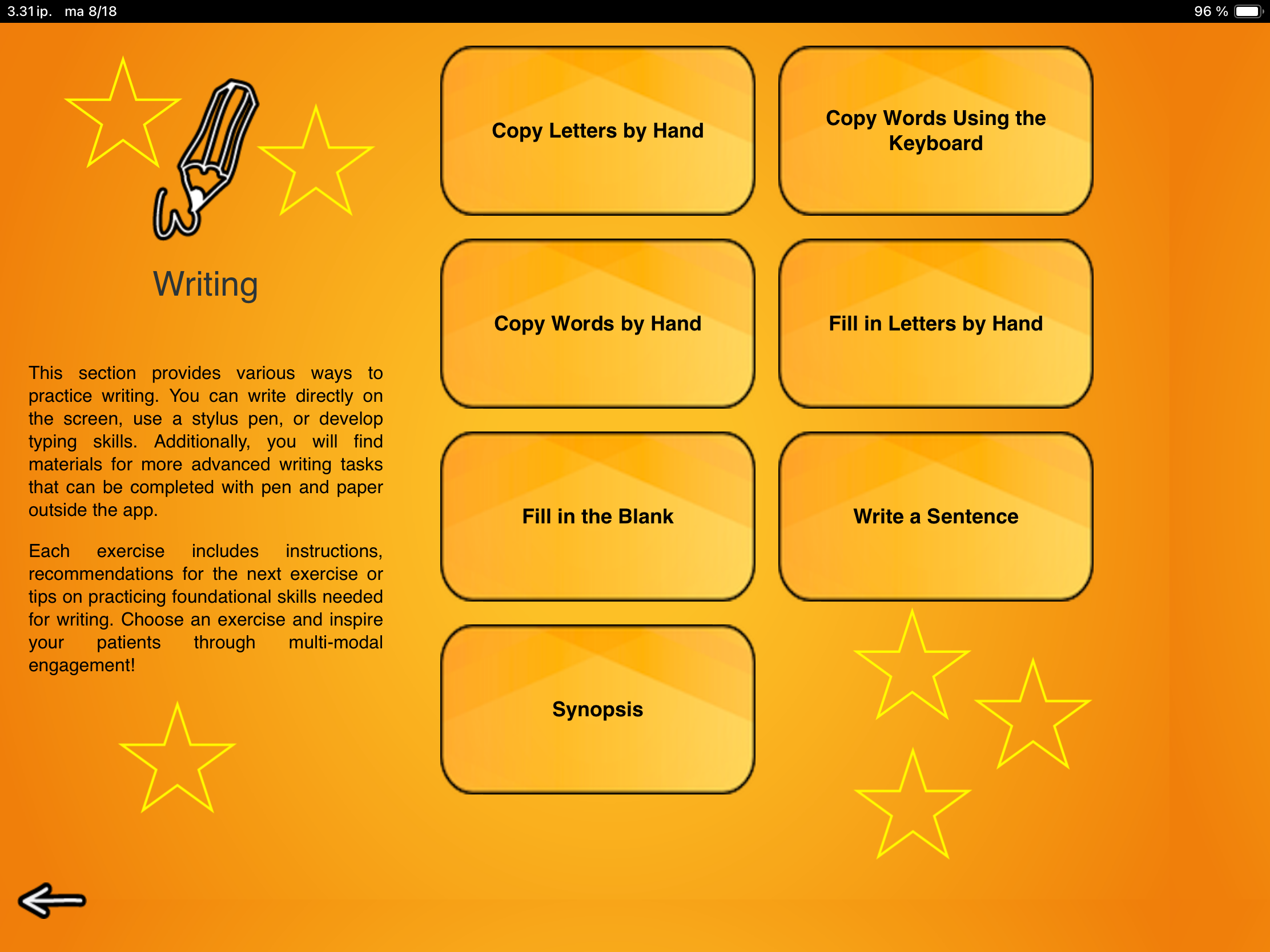
Update for the Writing category is live

Nana Lehtinen

Head over to the App Store to explore new content and enjoy an improved user experience in exercises:

  • Copy Letters by Hand

  • Copy Words by Hand

  • Copy Words Using the Keyboard

  • Fill in Letters by Hand

  • Fill in the Blank

  • Write a Sentence

  • Synopsis


We’re sharing a series of short spotlights on each exercise in this category over the coming weeks, practical tips and clinical applications included. Let’s go!


Spotlight on Copy Letters by Hand


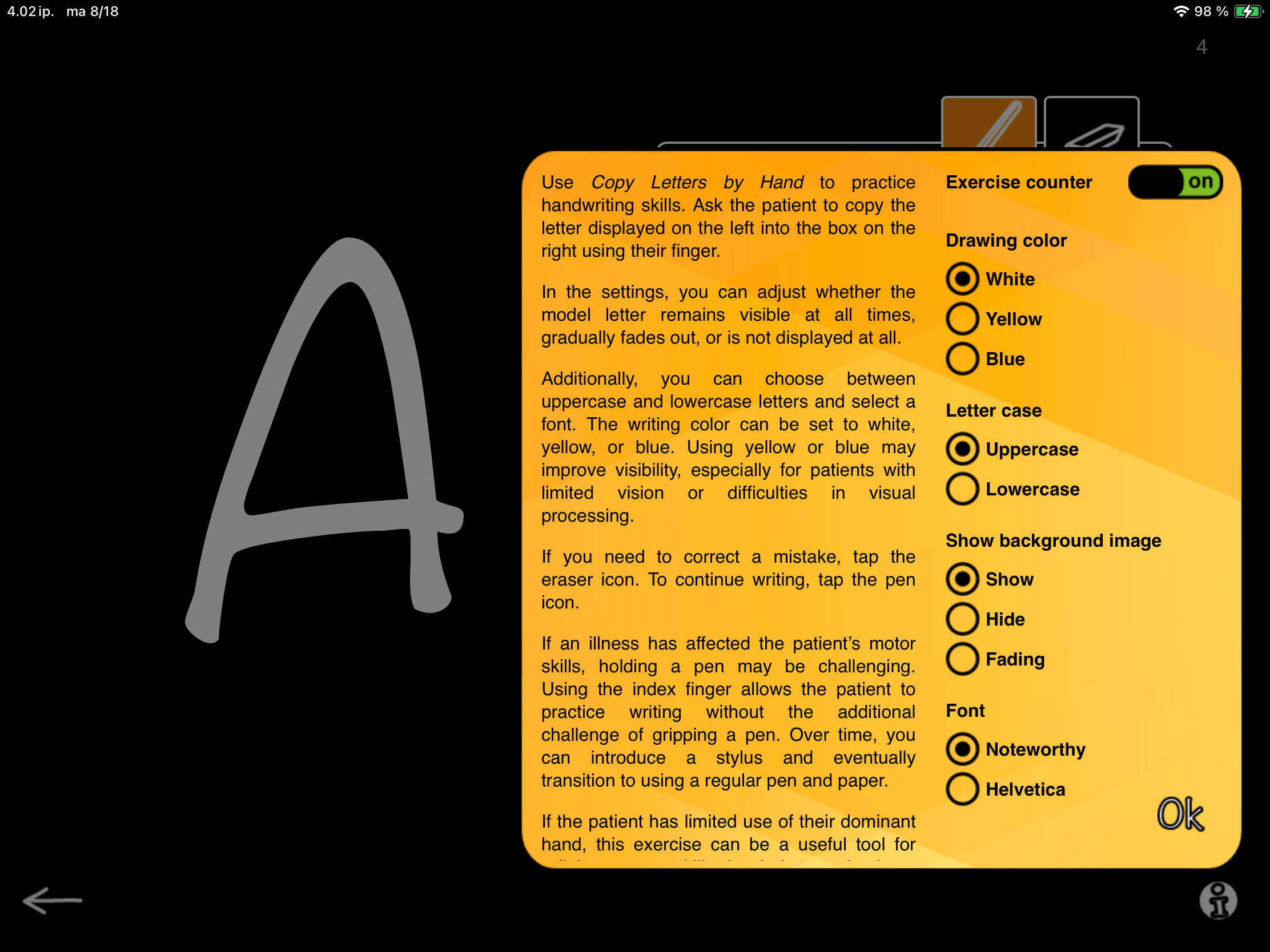
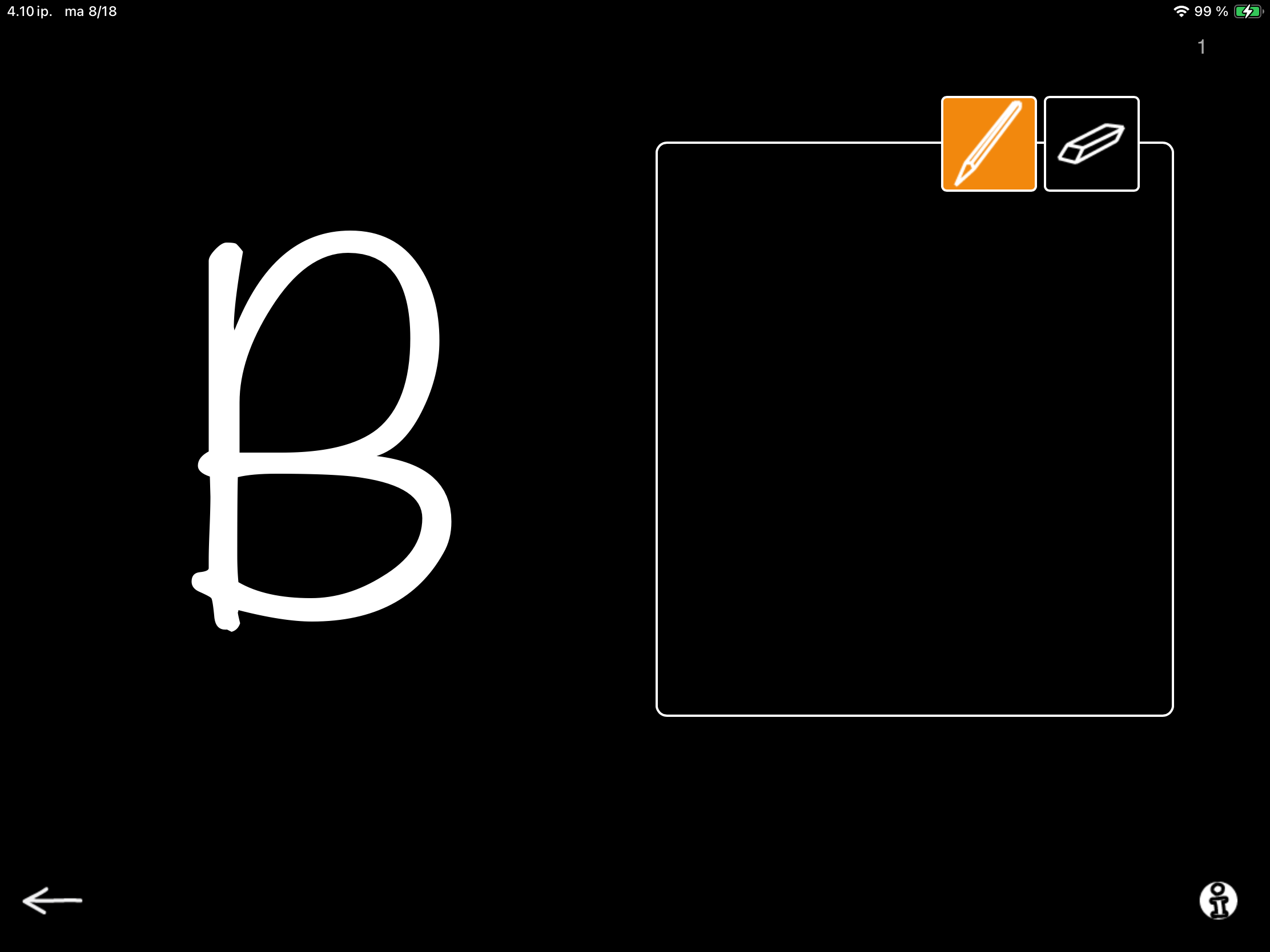
To kick things off, let’s take a closer look at Copy Letters by Hand. In this exercise, the patient uses either their finger or a stylus pen to copy a letter displayed on the screen into a box shown next to it.
The settings allow for multiple adjustments. 👉

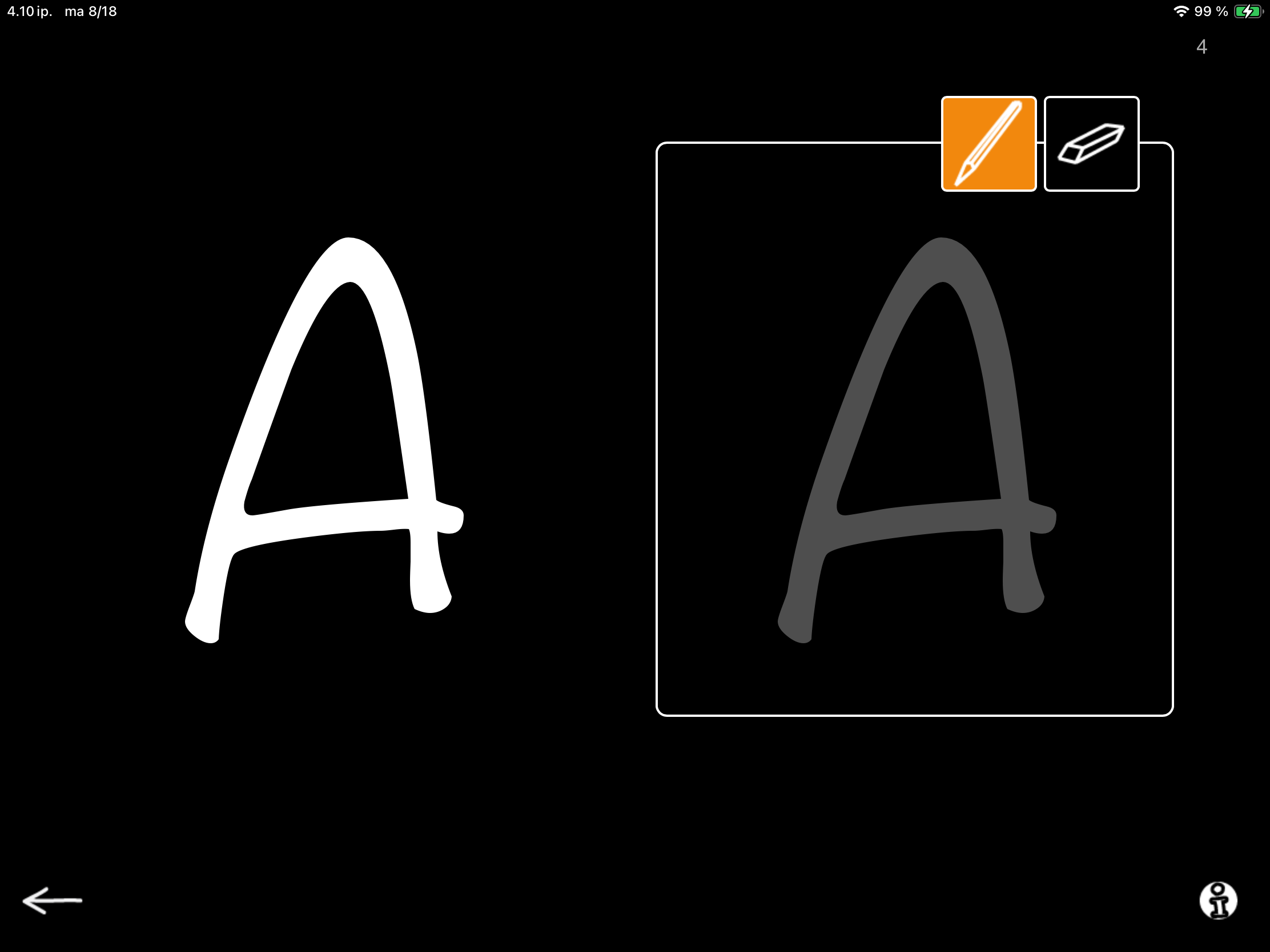
For this task, a key option is Show background image. When you select  Show  the white box contains a dark gray outline of the target letter for tracing (see image with letter A). When you select  Hide, the box stays completely empty, inviting the patient to complete the letter independently (see image with letter B).

When you choose  Fading, (see video with letter N) the outline is gradually faded with each task, helping the patient build confidence and progress toward independent writing.

This exercise is a gentle way to work up to using pen and paper when a familiar task has become a new skill to learn.

It’s especially helpful for patients who need to strengthen motor skills in their dominant hand or adapt to using their non-dominant hand after a stroke.

NB. An occupational therapist can be a valuable partner in developing motor skills needed for writing, and many skills practiced in occupational therapy can also be reinforced in speech therapy. Collaboration is key!

This exercise also benefits patients with cognitive challenges, offering a clear, simple way to practice goal-directed work and cooperation. You can also add an element of interaction by taking turns to complete the tasks. Since SanapsisPro does not provide automatic feedback, the goals and success criteria can be set individually to suit every patient.

Thank you stopping by my blog and stay tuned! We will soon walk you through the next updated exercise in SanapsisPro Writing category.

While you wait

Nana Lehtinen

The update for our next category, Writing, is almost here! But while we wait for it to land, I wanted to share an exciting tool I came across lately.

As you know, I am always looking for solutions to support patients in their everyday life. With AI-powered tools being developed at a breathtaking speed, the possibilities are thrilling. However, when diving deeper, the user experience often feels… let’s be honest—gimmicky. Enthusiasm for the possibilities of AI easily turns to hype, and many tools aiming to provide solutions to real-life problems feel more like added work and confusion than solutions that truly enable and empower users as we navigate everyday life challenges.

Enter Wispr Flow. This is a voice dictation tool, powered by AI and designed to provide clear, concise, and informative output from real-life, messy (in a word, human!) input. In short, you can use your regular way of speaking, filler words, pauses, hesitations, and all, and Wispr Flow transforms the message into clear written language that fits the platform you are using.

I have been playing around with this for a few days now and am pleasantly surprised by how natural and effortless it feels to use Wispr Flow to transcribe my natural, messy speech into well-formed written language. Of course, I am just bursting with ideas on how to use it in therapy too! I also think that getting comfortable with a tool like this could be a powerful support system, empowering some of our patients to communicate more independently and with confidence.

As I’ve been trying out different communication styles and ways of natural speech with Wispr Flow, I am impressed by how many communication styles it can support. Experimenting with different communication styles, like searching for the right words and expressions or taking longer to form sentences, Wispr Flow very rarely fails to structure my speech into a clear, well-structured message. Give it a go and let me know what you think! I look forward to testing this with many people with varying communication styles and learning what they think too.