Contact Us / REPORT A BUG

Use the form on the right to contact us.

Always looking forward to hearing from you! 


123 Street Avenue, City Town, 99999

(123) 555-6789

email@address.com


You can set your address, phone number, email and site description in the settings tab.
Link to read me page with more information.

IMG_0435.jpg

All The Things We Love About Speech Therapy With Adults

This blog is about all the things we at Sanapsis Love about Speech Therapy with Adults. 

First task of 2026 - Write a Sentence

Nana Lehtinen

Let’s start the new year with a surprisingly complex and versatile task from our Writing category: Write a Sentence.
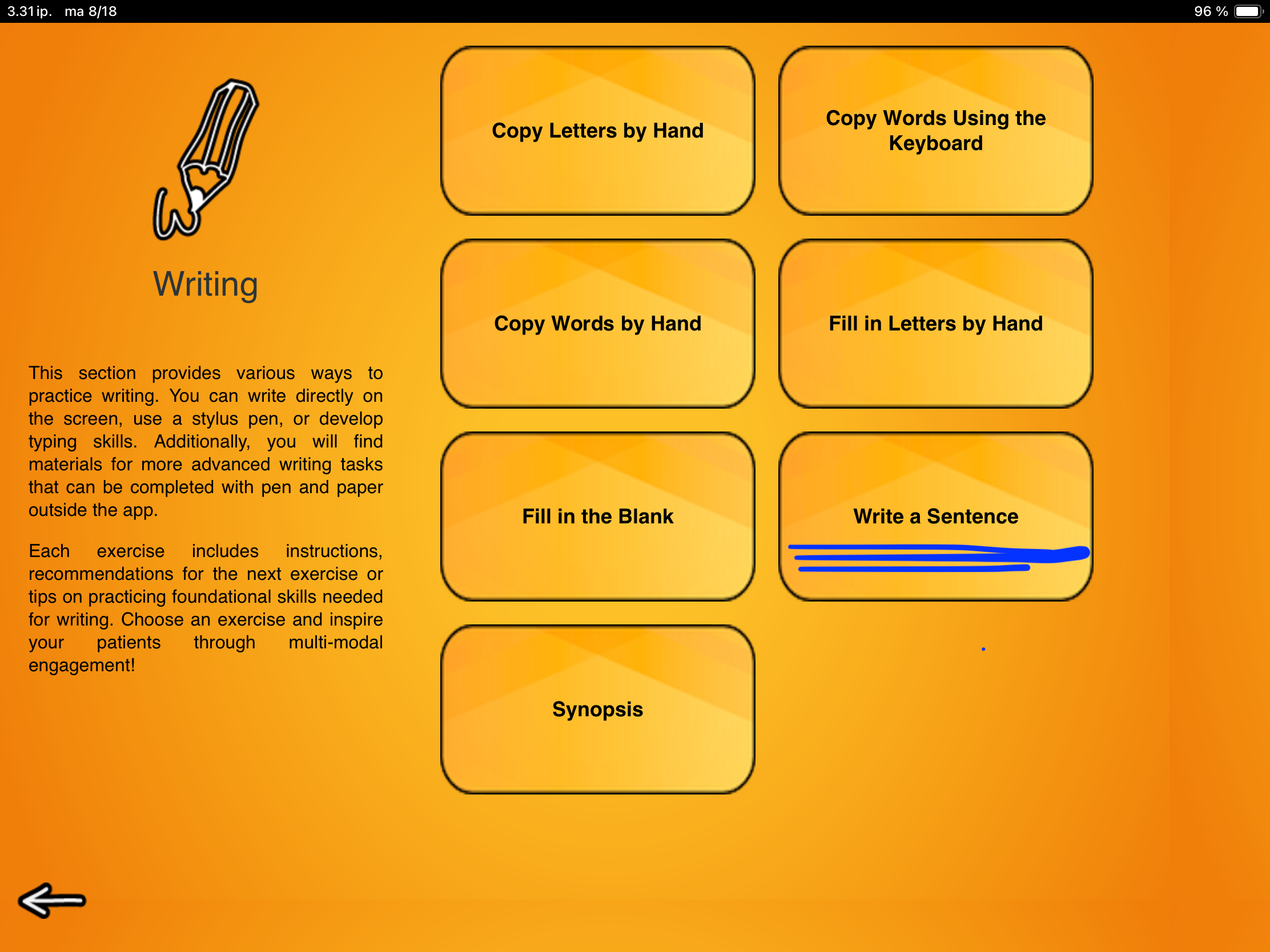
In this exercise you show a picture to your client and ask them to come up with and write down a sentence based on that image. This is a very open-ended task. While the image provides some context, there’s still quite a bit of thinking to do before we even get to think about writing.

First, your client needs to decide what to focus on in their single sentence.
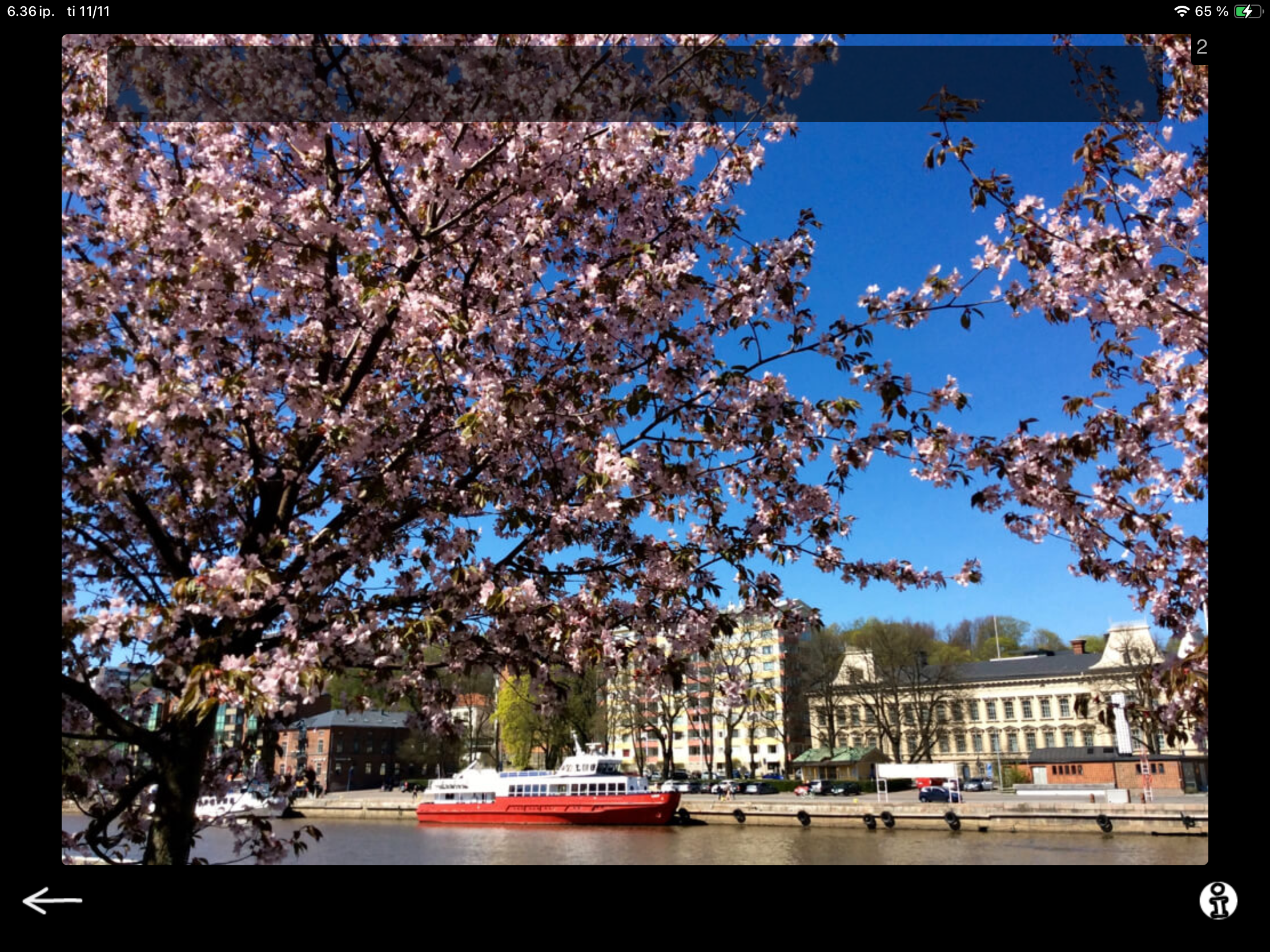
If I were to talk about this sample image freely, I might say: It looks like springtime in a city that has with a river running through it. There are big trees with pink flowers, and a red boat on the river. I don’t see any people walking, even though it looks like a lovely day. If I lived in that city, I think I’d enjoy a walk along the riverside on a day like that. Looks like it might be a bit cold though.

For the writing task, the client needs sift through all of the visual information and make a plan: What do I see? What do I want to say? What information do I focus on? What information do I leave out? What can I say in one sentence? How do I find and organize the words to convey what I want to say? That is wide range of cognitive and language skills at play.

It can be beneficial to give a few example sentences to get started. Some example sentences from our image could be:

  • It is springtime and the trees are blooming.

  • The trees have pink flowers on them.

  • A big red boat is moored at the riverside.

  • It is a sunny day in the city.

You can use the examples as a starting point for a collaborative brainstorming session. These are some of the things I see. Are they the same or different things that stand out to you? What would you like to focus on? Some clients can benefit from choosing a sentence from examples you provide to get started. After completing a few tasks like this, they might be ready to come up with a concept and a sentence independently.

The next, step, physically writing a sentence, calls for coordination of several executive processes at once. These include holding the idea in working memory, finding correct content words, planning the sequence of words, monitoring accuracy, and adjusting along the way. What looks like a simple act of “writing a sentence” is, in fact, a rich exercise in goal-directed behavior that draws on planning, organization, self-monitoring, and cognitive flexibility.
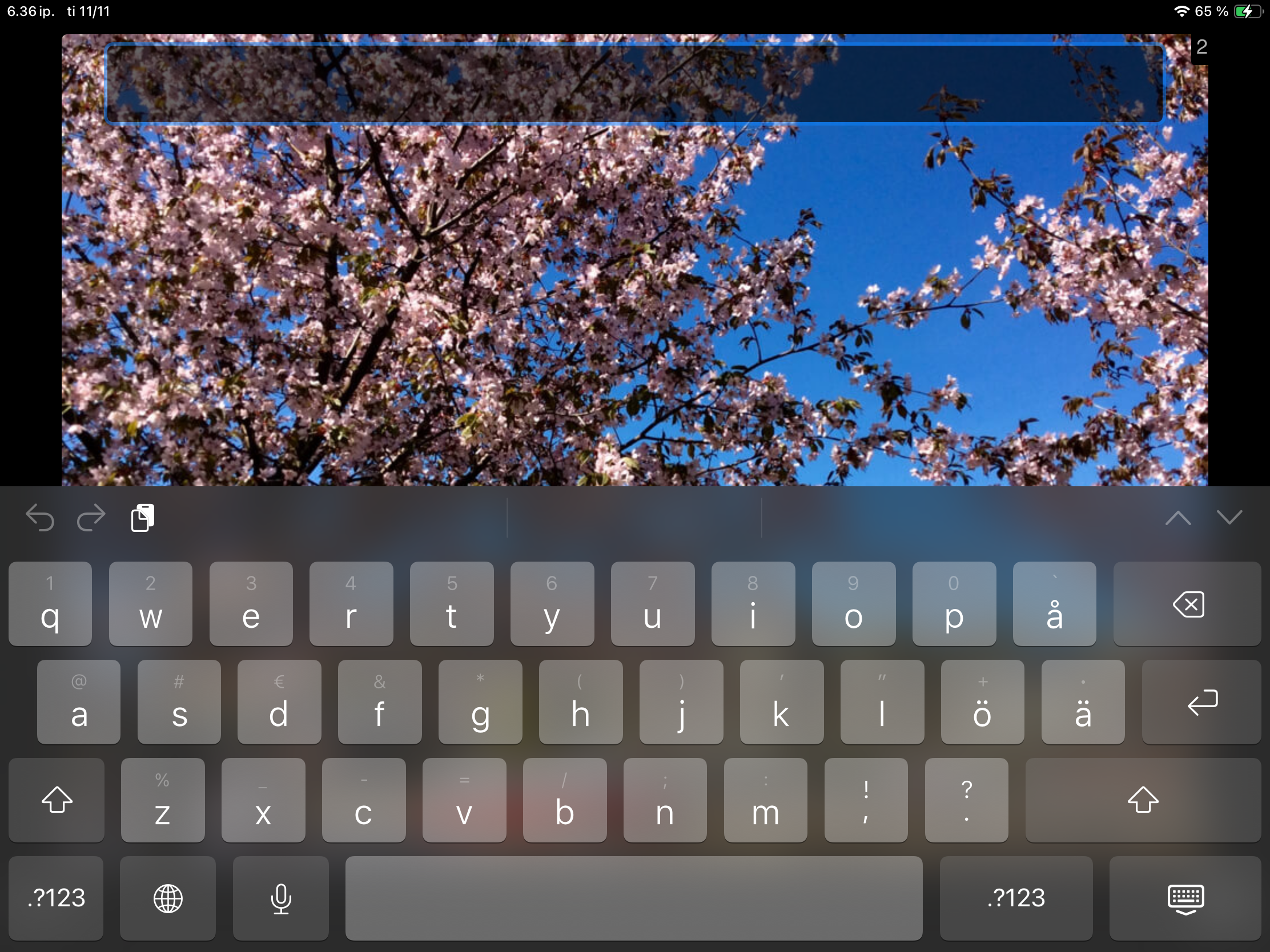
Also note that when you bring up the keyboard, it covers most of the picture as you see here.

That means the client needs to keep the image in mind while writing. This adds a small but important challenge of encaging visual memory and mental representation.

Adjusting the Difficulty

You can easily tailor this task to different goals:

– Support the planning process. Ask your client to talk about the picture first and jot down notes. Use these notes to guide the idea selection word finding. For example: Which aspect you would like to focus on: the weather, the trees or the boat? Then prompt for detail: What would you like to say about the boat? Is it big or small? What color is it?

- Set restrictions. For example, limit the sentence length: Your sentence can’t have more than four words.

– Prompt specific vocabulary. For example: Can you include the word spring?

There are 140 images in this exercise. When you open the task, 15 are randomly selected for you to choose from by swiping back and forth. No restictions of forced task sequence or rigid right answers, but space and flexibility to engage in meaningful, reciprocal work.
Fill in the Blank

Nana Lehtinen

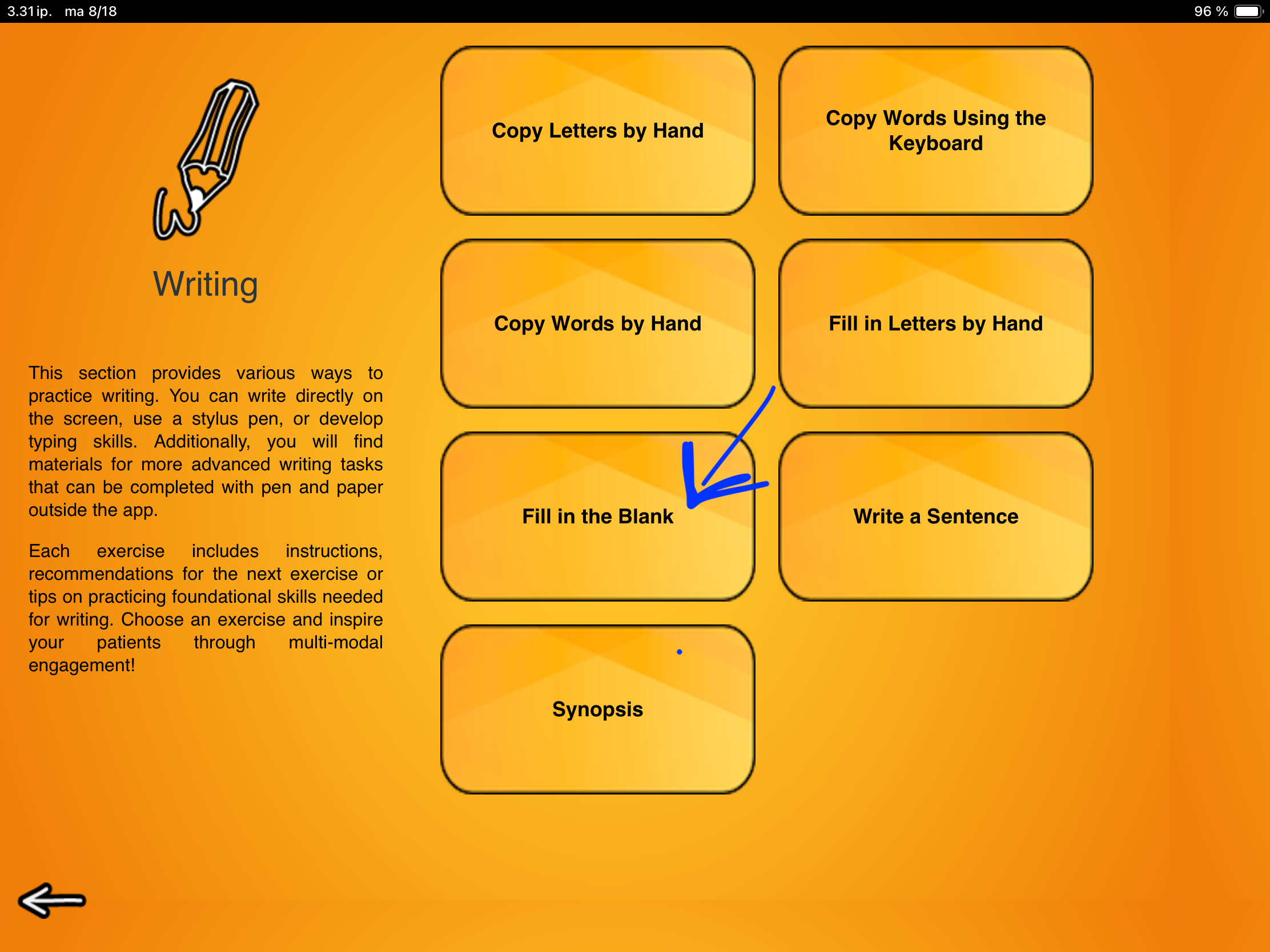
This exercise takes those word-level typing skills from Copy a Word and puts them to work.

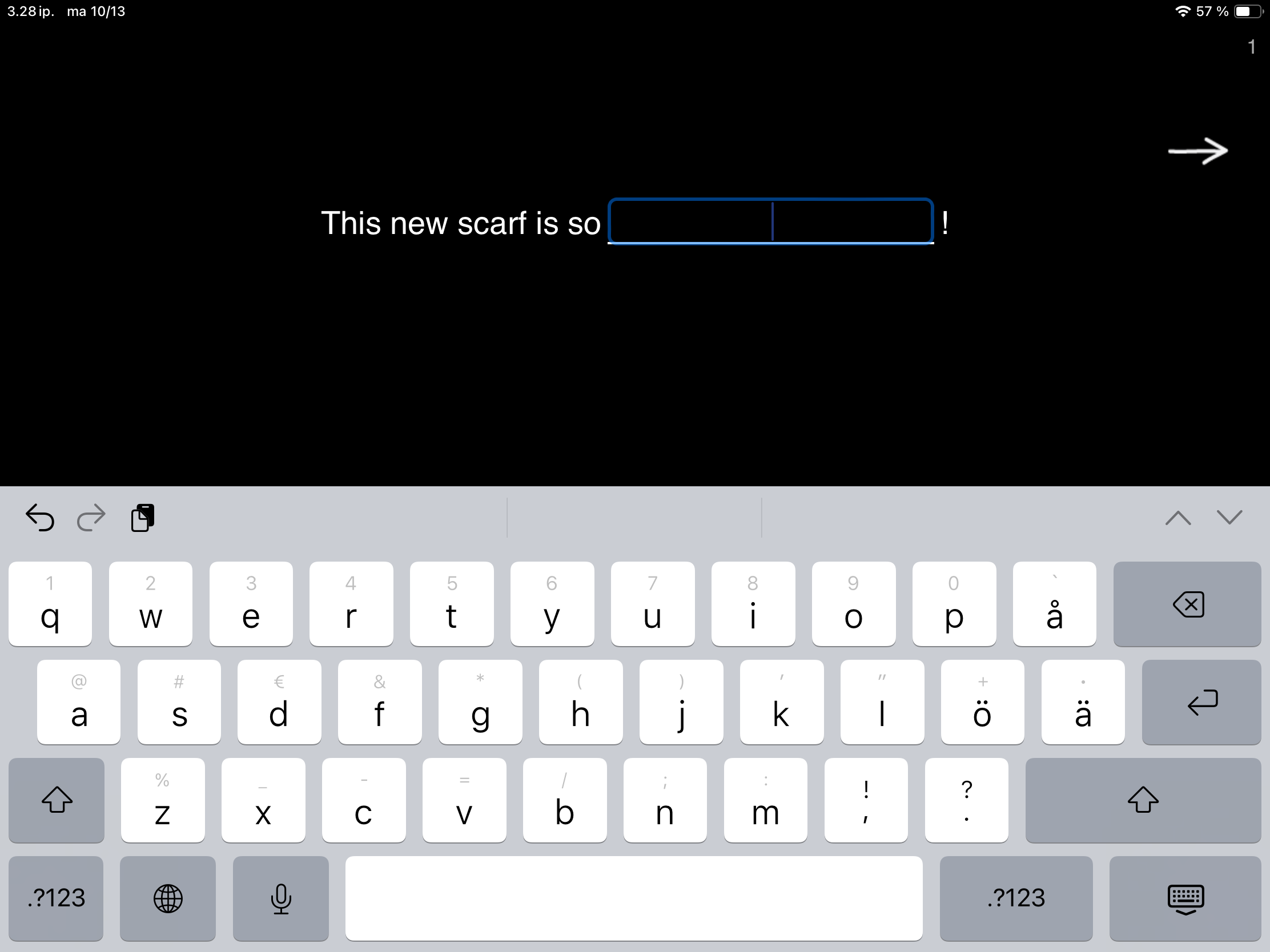
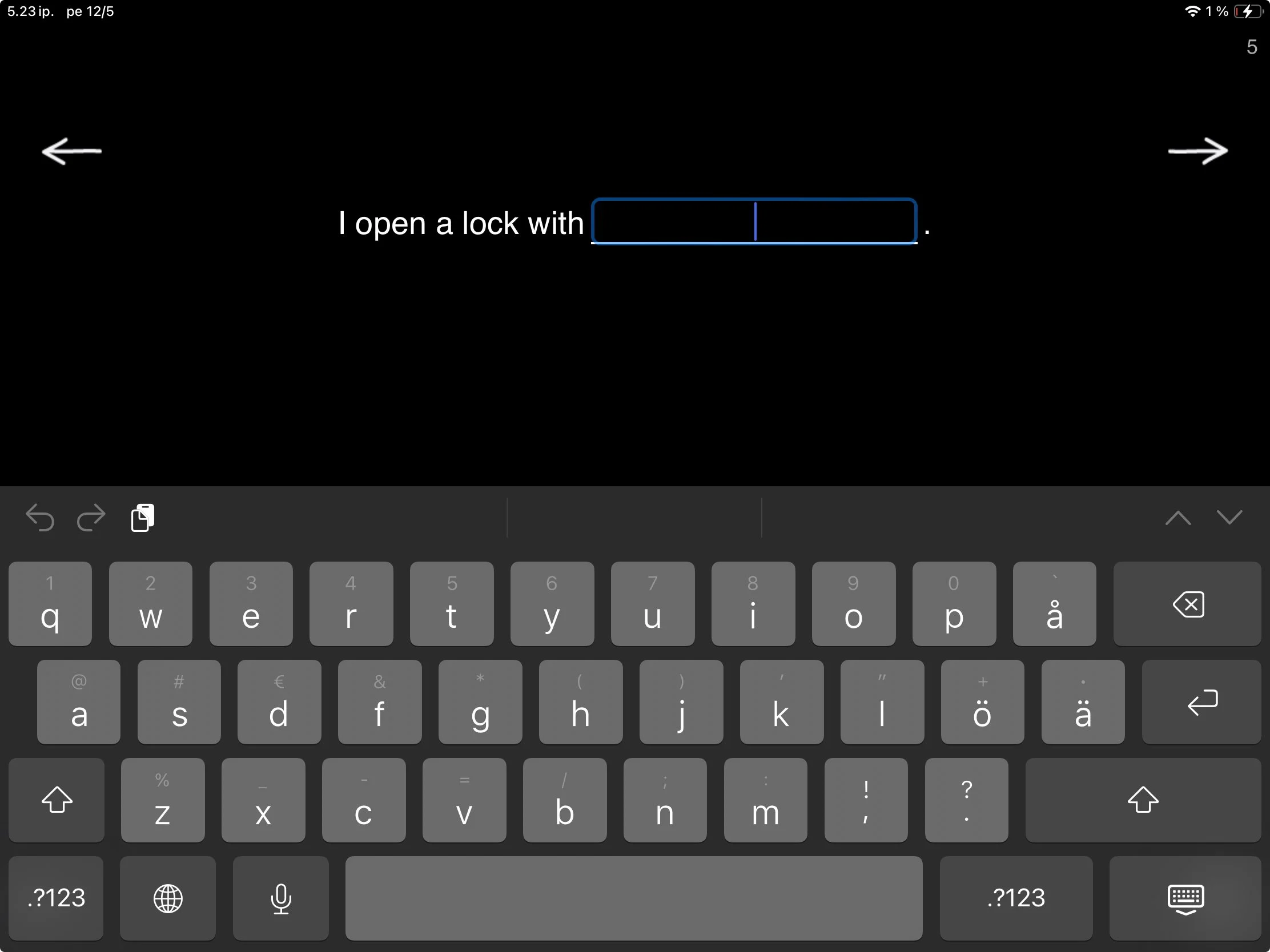
When you open Fill in the Blank, you’ll see a sentence with one or more missing words. The task is simple: think of a word that fits and type it in.

This is one of those familiar tasks that can pack a bunch in the hands of a skilled therapist. While completing the sentence frames, patients aren’t just retrieving words. They are using context, grammar, reasoning, cognitive flexibility, initiation and creative expression all at once.

This exercise contains three levels. While navigating these levels, you’ll find material to provide challenges to patients with varied goals.

Level 1 — Word Retrieval in Context

At this level, the sentences are mostly missing a noun. Tasks like I open a lock with ____________. or After spring comes ____________. provide enough context to guide the patient and support them in finding the missing word.

It’s classic word-retrieval work, but it would not be SanapsisPro if it did not come with a twist of flexibility and real-life relevance.

In addition to straightforward sentences that point to a “correct” answer, many of the sentences at Level 1 invite the patient to fill in a word that makes the sentence relevant to them. For example, the sentence I bought tickets for the ______________ can become:

  • I bought tickets for the game.

  • I bought tickets for the play.

  • I bought tickets for the movie.

Each version works, and each one tells you something about the person writing it. If a patient writes the game, I try make a mental note to ask what sport they enjoy watching after we complete the writing tasks. If appropriate, we can build on that and maybe work on some specific vocabulary during our next session or use that theme for homework. This is one way completing a simple task can become a bridge to meaningful conversation.

Level 2 — Descriptive Words and Nuance

This level focuses on descriptive words and embedding meaning into a simple sentence. This is a task that quietly does a lot. On the surface, the patient is just thinking of a suitable word to fill in a simple sentence. However, under the surface, they are generating meaning, making connections between their experiences and the scenario in the sentence, thinking of different options, and making decisions about what they wish to convey in this particular moment. Some examples of sentences at this level are:

  • The restaurant has received ____________ reviews.


  • This new scarf is so ____________.

Writing that This new scarf is so warm, big, or useless reveals intent and tone. By choosing a descriptive word, they determine meaning of the sentence and convey new information.

You can also modify the task: add a constraint like asking the patient to find words that keep the sentence always positive, or provide two or three options and ask the patient to select a word that they think works best.

I like to use these tasks to challenge patients who are fluent at the sentence level but could use some work to expand expression, make choices, add flexibility in their thinking and say more with their words (think eg. adynamia).

Level 3 — Minimal Cues, Maximum Flexibility

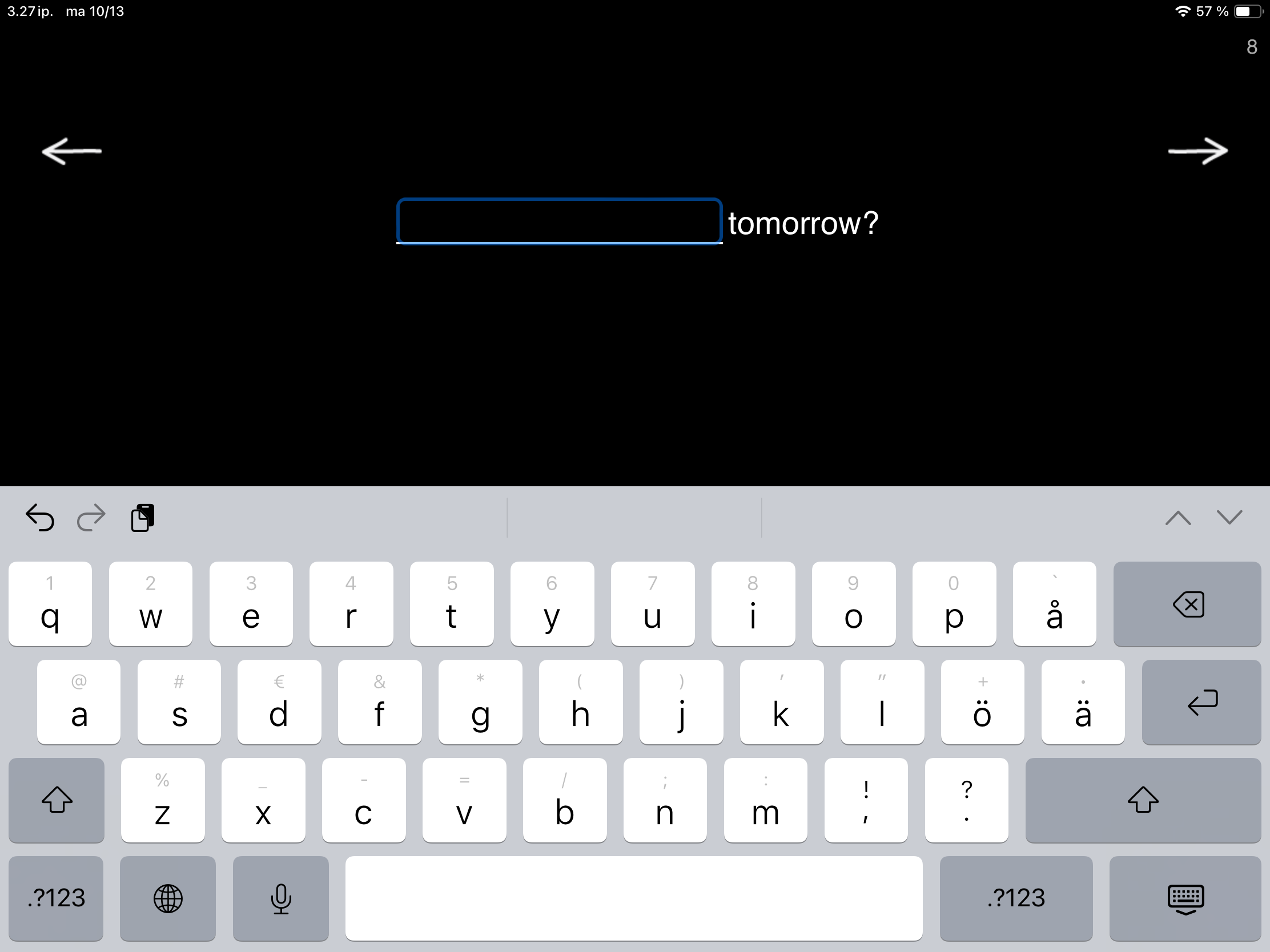
This task is a bit different from Level 1 and Level 2. Here, the sentences offer only a hint of context, really stretching that cognitive flexibility, self-initiated content, and creative expression. Now we’re in the realm of initiation, imagination, and bringing discussion topics and context to the table. How would you fill in sentences like:

  • ____________ tomorrow?

  • They don’t ____________ anymore.

  • Quick, ____________!

As a whole, Fill in the Blank sits right between structured drills and open conversation. It gives enough scaffolding to guide success but leaves room for creativity and personality. This happens at every level. Fill in the Blank provides material and content to build tasks for patients with different challenges and goals—all the way from structured word-finding to challenging and genuine self-expression.

Copy Words on Keyboard, a little bit about digital devices in rehabilitation and one very scary beast

Nana Lehtinen

Our next exercise in the Writing category takes us from writing by hand to typing. If you’ve been following along, you know where we’re coming from. If not, I invite you to scroll back to the earlier posts and find out!

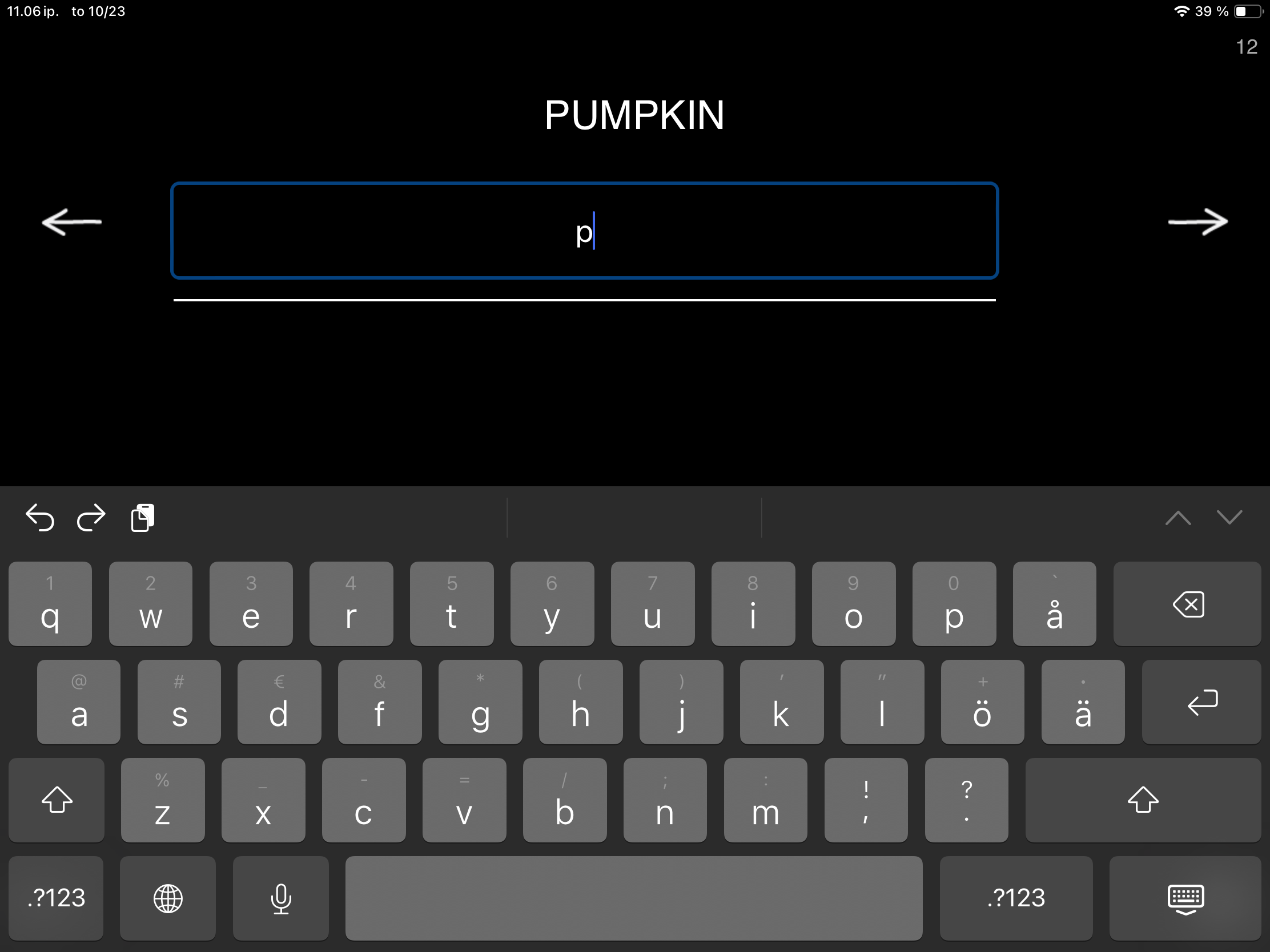
When you open Copy Words on Keyboard you see a word and a line on the screen. Tap the line to bring up the iPad’s onscreen keyboard and type the word. At first glance, your patient is just copying a word by typing. But who benefits from this, and why use therapy time for something so simple? Why, I’m very glad you asked!

This seemingly simple task offers countless opportunities to work on different skills. Here are a few examples:

  • Some patients benefit from visually searching for matching letters one by one. While copying a word, they’re challenging their executive skills: sustaining attention, staying on task, working toward a goal, using working memory, blocking distractions, and recognizing and matching letters. With a little help from a friend (you!), the exercise can also include sound–letter correspondence.

  • Copying words requires both reading and writing skills. The first task for a patient can be to read and recognize the word in question. Then, typing the letters of that now-familiar word strengthens word analysis and sheds light on how word processing works for them. Can they tap into existing patterns and complete the word almost automatically, or will they need to rebuild it letter by letter? Are they able to stay on task independently? Do cognitive processes support or hinder task performance?

  • A simple task can build confidence and encourage patients to take on bigger, bolder challenges. This exercise can be an excellent way to re-learn keyboard use or return to digital devices in general.

  • Observing and supporting clients as they use digital devices for simple, guided tasks can be highly informative when planning future therapy.

The importance of doing this work in therapy and not independently lies exactly there. What can you observe, and how can you build on this simple task?

Hi! What do you see in this picture? Is it 1) an apple, 2) a dog, or 3) a book?

Once your client can confidently navigate a digital device and has mastered copying by typing, it’s time to expand into new tasks that support communication in the digital space. For example, you can send them a photo and ask them to reply with what they see.

The message might read: Hi! What do you see in this picture? Is it 1) an apple, 2) a dog, or 3) a book?

Now your client can respond using their own device, putting those typing and word-copying skills into real use.

Completing a familiar task independently can be an empowering step toward navigating the digital world and successfully sharing information. Little by little, these experiences help rebuild confidence in using digital tools for everyday communication. And it all starts with a simple task: Copy Words on Keyboard!

I also can’t pass up the opportunity to talk a bit about digital devices in rehabilitation. Digital devices are a big part of our daily lives. Like it or not, being able to use a smartphone or tablet is an essential everyday skill, often tied to communication and staying connected with loved ones. For many patients, however, returning to these devices can feel confusing and even daunting.

SanapsisPro and Sanapsis+ are designed with this in mind. In both apps, transitions are intentionally slow, there’s no sudden or distracting audio (e.g., a ping for correct or a buzz for a wrong answer), and users are free to move between exercises without the “punishment” of doing something wrong. This creates a calm and relaxed user experience.

A simple task used in collaboration with a supportive therapist can be especially helpful for patients who feel anxious about digital devices or overwhelmed by today’s fast-paced digital environments. Simply copying a word on screen, calling up the keyboard, and moving between words with the forward and backward arrows can serve as a small step toward a more fulfilling, stress-free use of technology in everyday life.

Stay tuned for the next exercise in the Writing category in SanapsisPro!

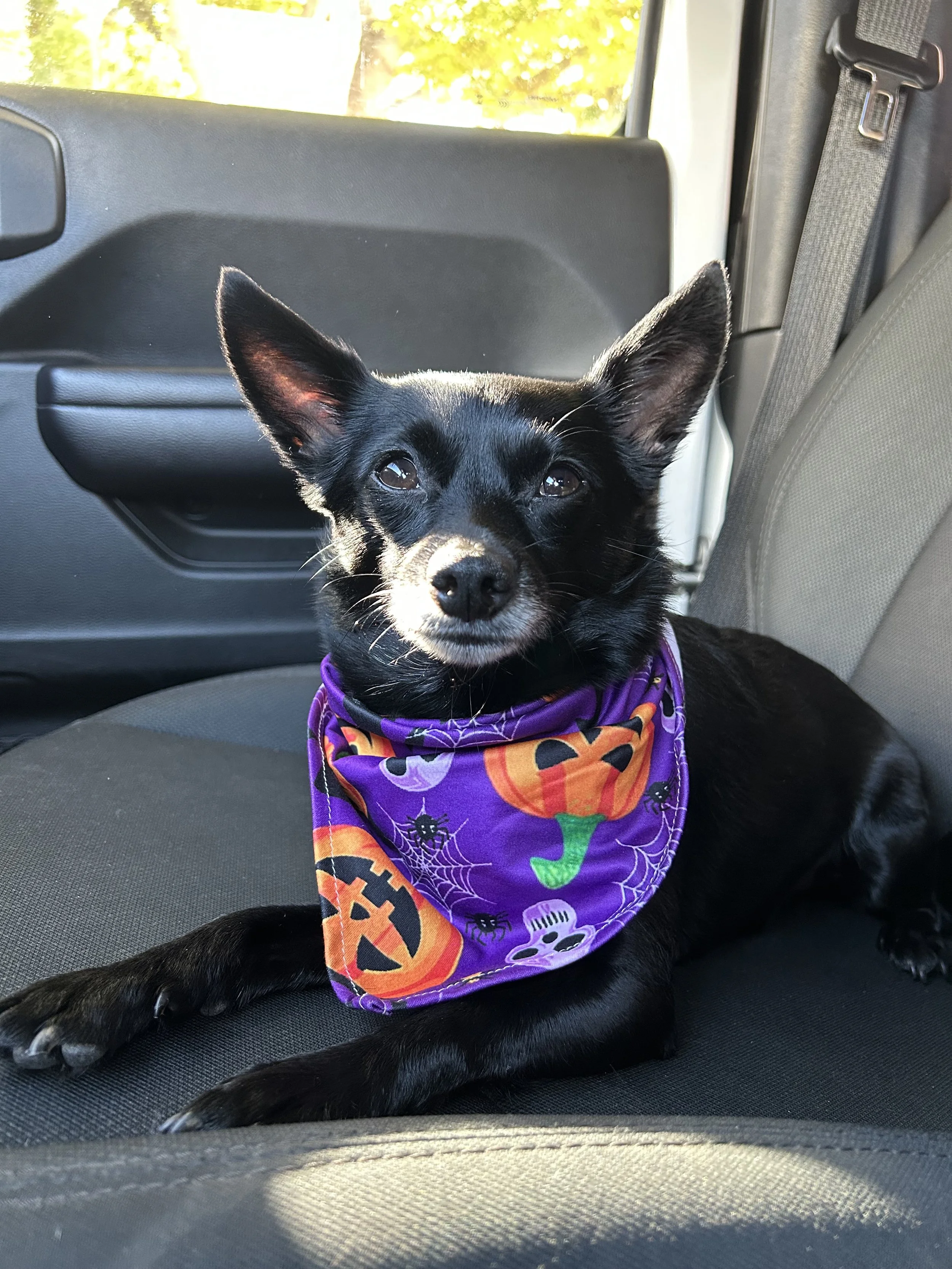
Happy Halloween to all from me and my very scary beast pictured above.

Missing Letters

Nana Lehtinen

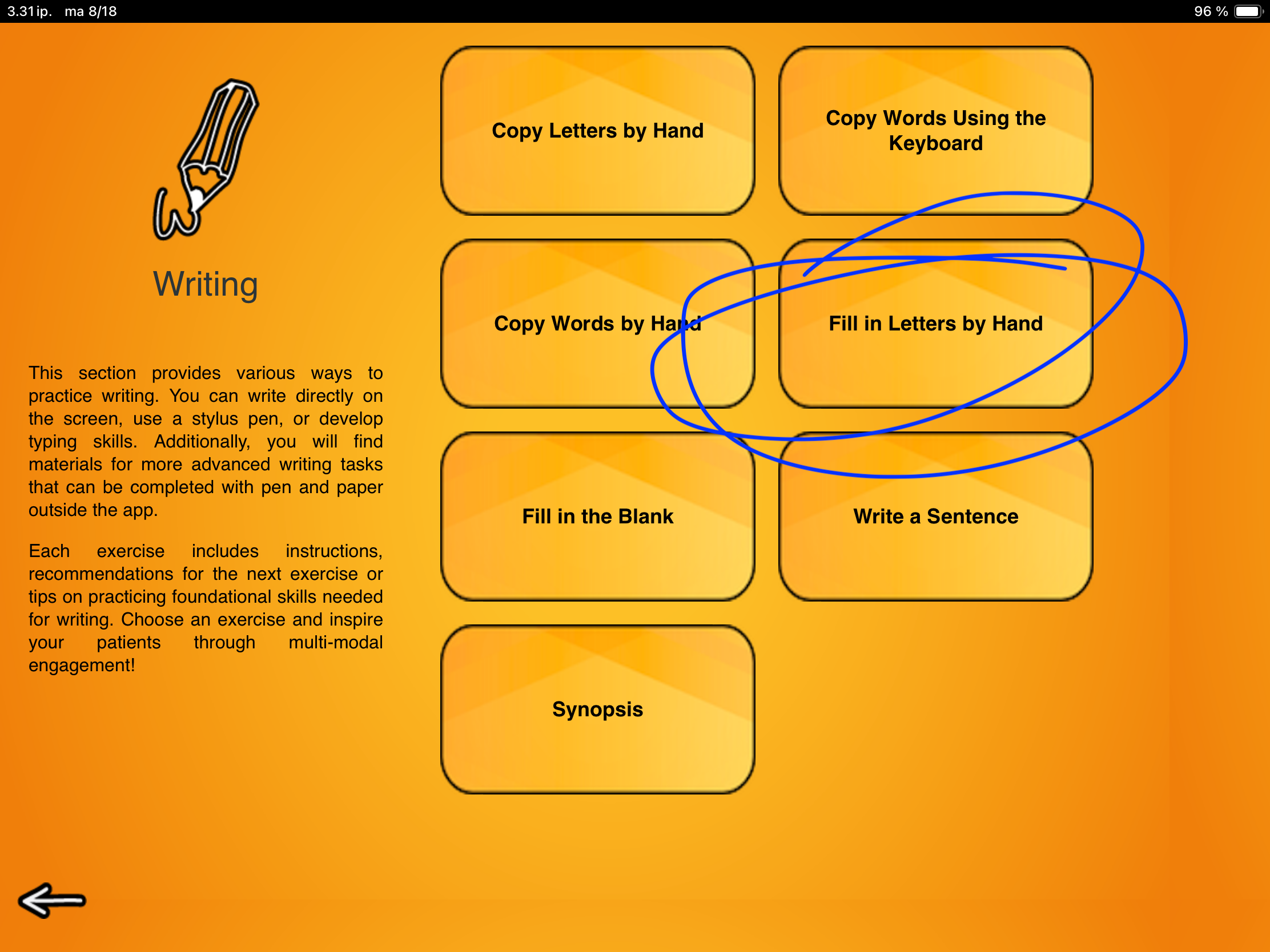
The third exercise in our Writing category is Fill in Letters by Hand. If this looks familiar, you are not seeing double. This task is an extension of Copy Words by Hand where patients copy complete words they see on screen.

This exercise supports writing and reading skills on multiple levels. Alongside the motor skills needed for writing and sound–letter correspondence, patients strengthen visual word recognition, technical reading, and language-based reasoning, all in one engaging and simple task.

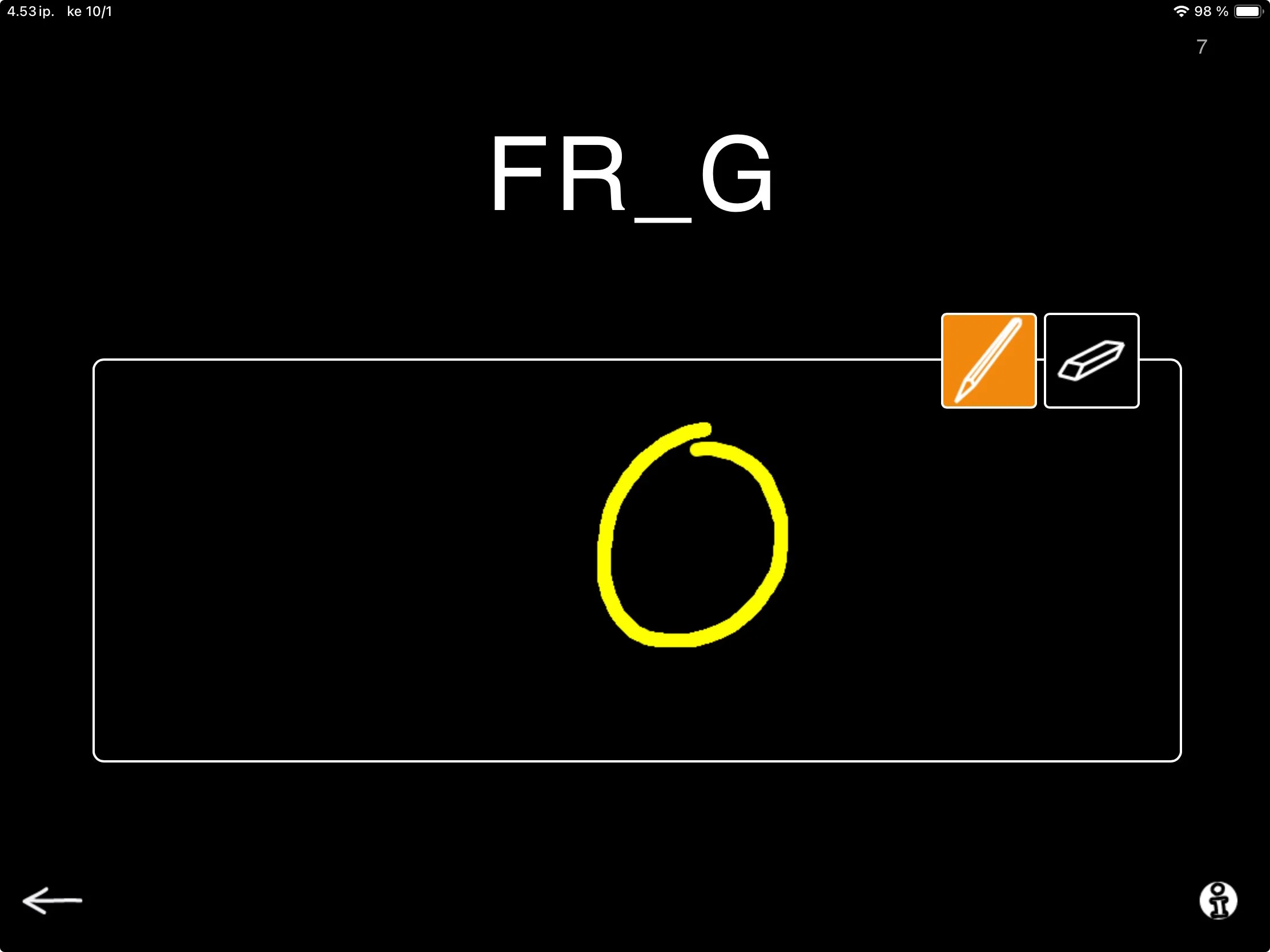
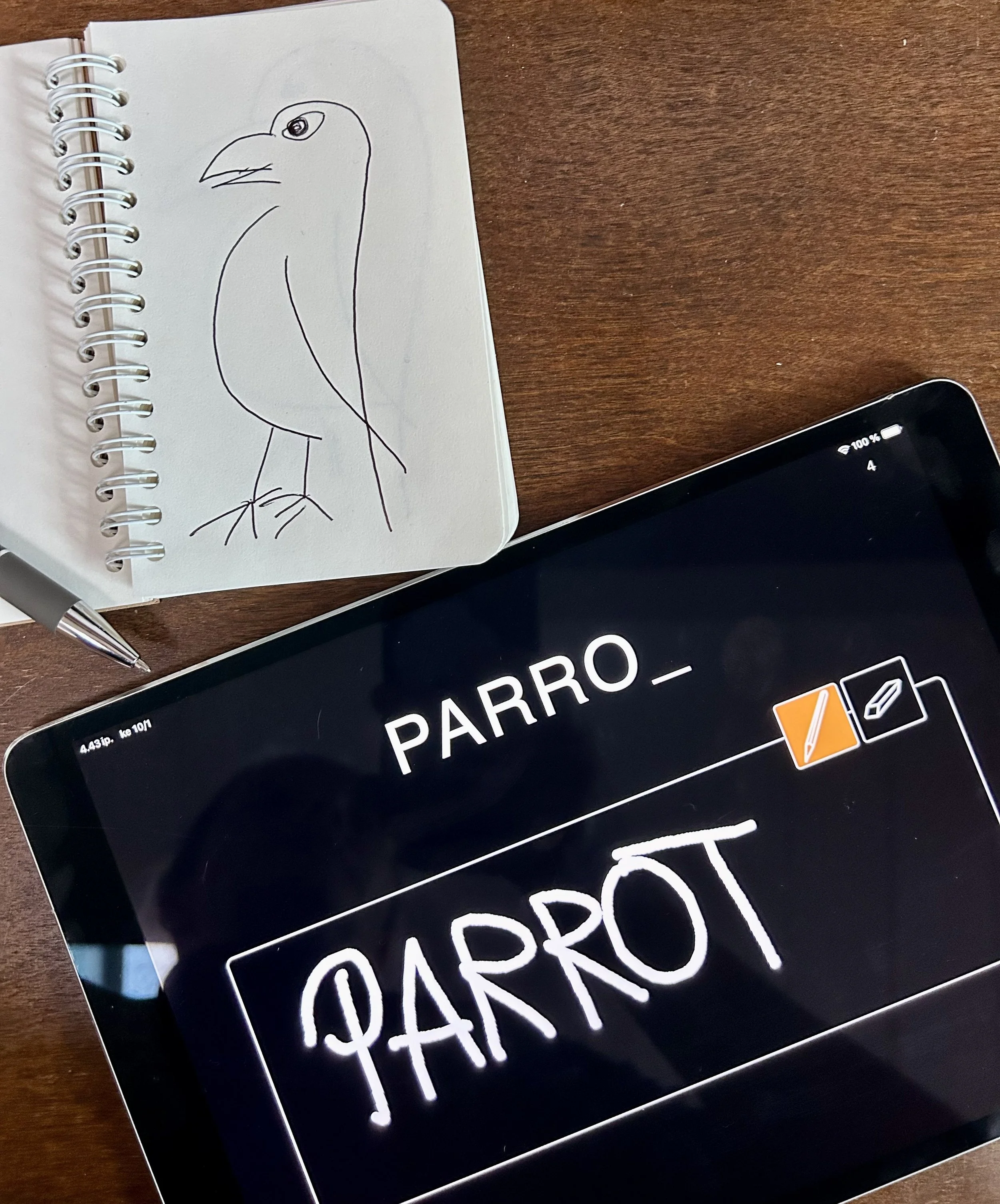
When you launch Fill in Letters by Hand, you see a word that is missing a letter. Below the word, there is an empty box. Instruct your patient to write either the missing letter or the whole word into the box using their finger or a stylus pen. I often encourage patients to write the whole word and read it aloud to me as well. The more work and opportunities to interact, the better, right!?

As you move through the words, you will notice that some are trickier than others. Patients may need more support for certain words (P_LARBEA_) compared to others (_IGER). Get creative with your cues to find a style that works best:

  • Show the whole word on paper, identify the missing letters together (then hide the word)

  • Say the word aloud or sound it out so they can match the sounds to letters

  • Offer a visual cue with three letters to choose from

The flexibility of SanapsisPro makes it easy to mix and match these ideas. You can even skip or redo tasks with a simple swipe. You are in control.

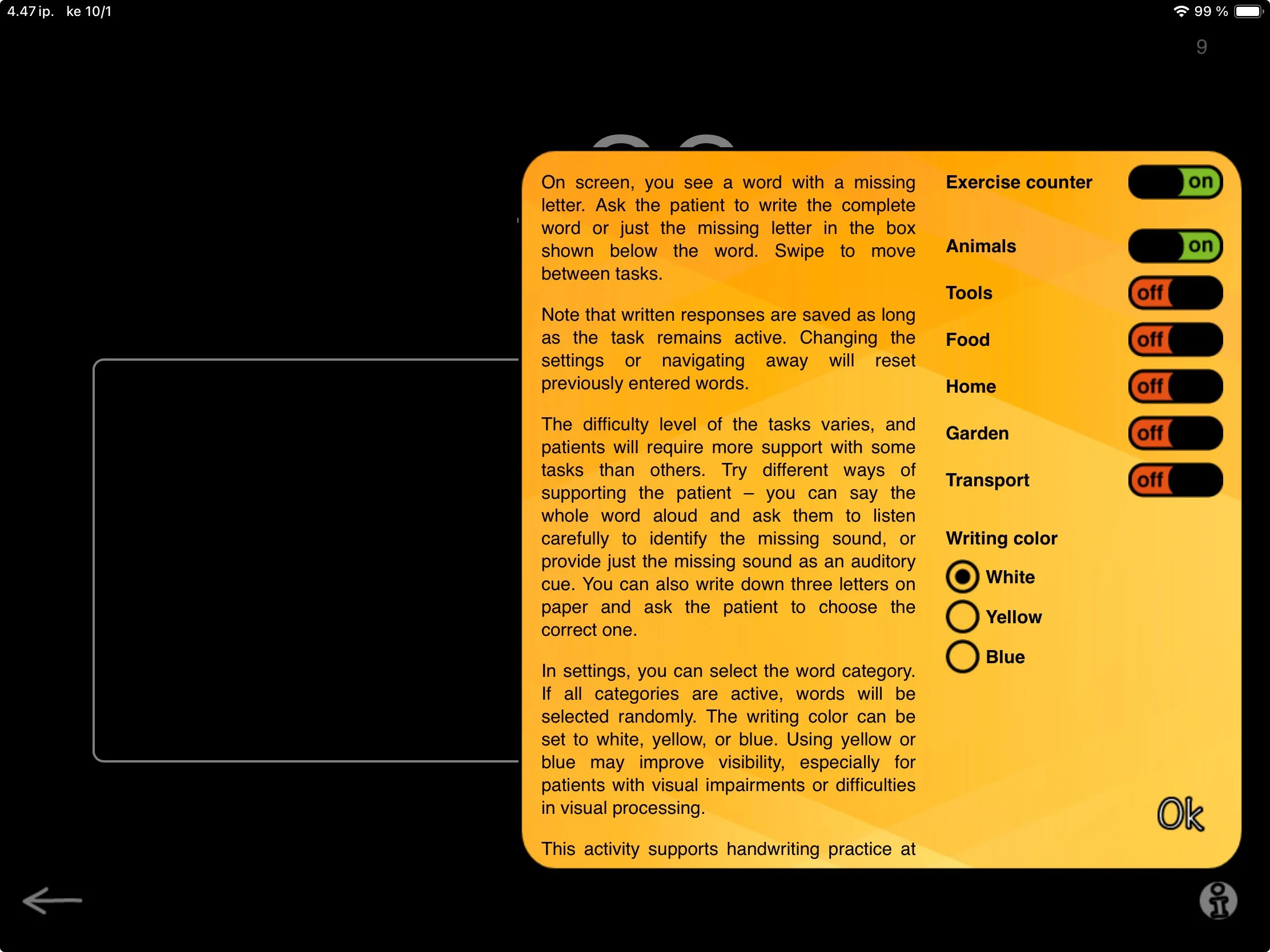
The difficulty level of the task can be fine-tuned with categories. Selecting words from just one category adds a semantic priming effect that makes the task easier. For example, figuring out that (P_LARBEA_) needs an O and an R is much easier if you know you are looking for an animal, especially if you have just worked on GIRAF_E, Z_BRA, and BEA_. These categories align with many other exercises, giving you fresh ways to use the same material across different tasks.

You can also experiment with different colors to write with. Switching to blue or bright yellow can sometimes make a big difference, especially if the patient is working with visual limitations or deficits.

As in the other writing exercises, I am quite sure nobody minds if you decide to invite patients to write the word on paper with a traditional pen as well! After all, the end goal is to be work outside the app, right?

We hope you enjoy working with Fill in Letters by Hand, and would love to hear your thoughts on the task.

Fun fact of the day: Sometimes I like to reward my patients by drawing a picture of the animal or object in question while they work on their writing, so we can compare who did better. They usually win.